01
Verifiability over fluency
A confident paragraph with no source is worse than no answer at all. Citations are part of the output, never an afterthought.
 Chronicler

Chronicler turns the files you already trust into an interactive knowledge base. Ask in plain language and get answers with citations, document attribution, and a confidence indicator.
Chronicler is a desktop-native knowledge assistant that turns hundreds of scattered documents into one library you can actually question, with every answer traced back to the page it came from.
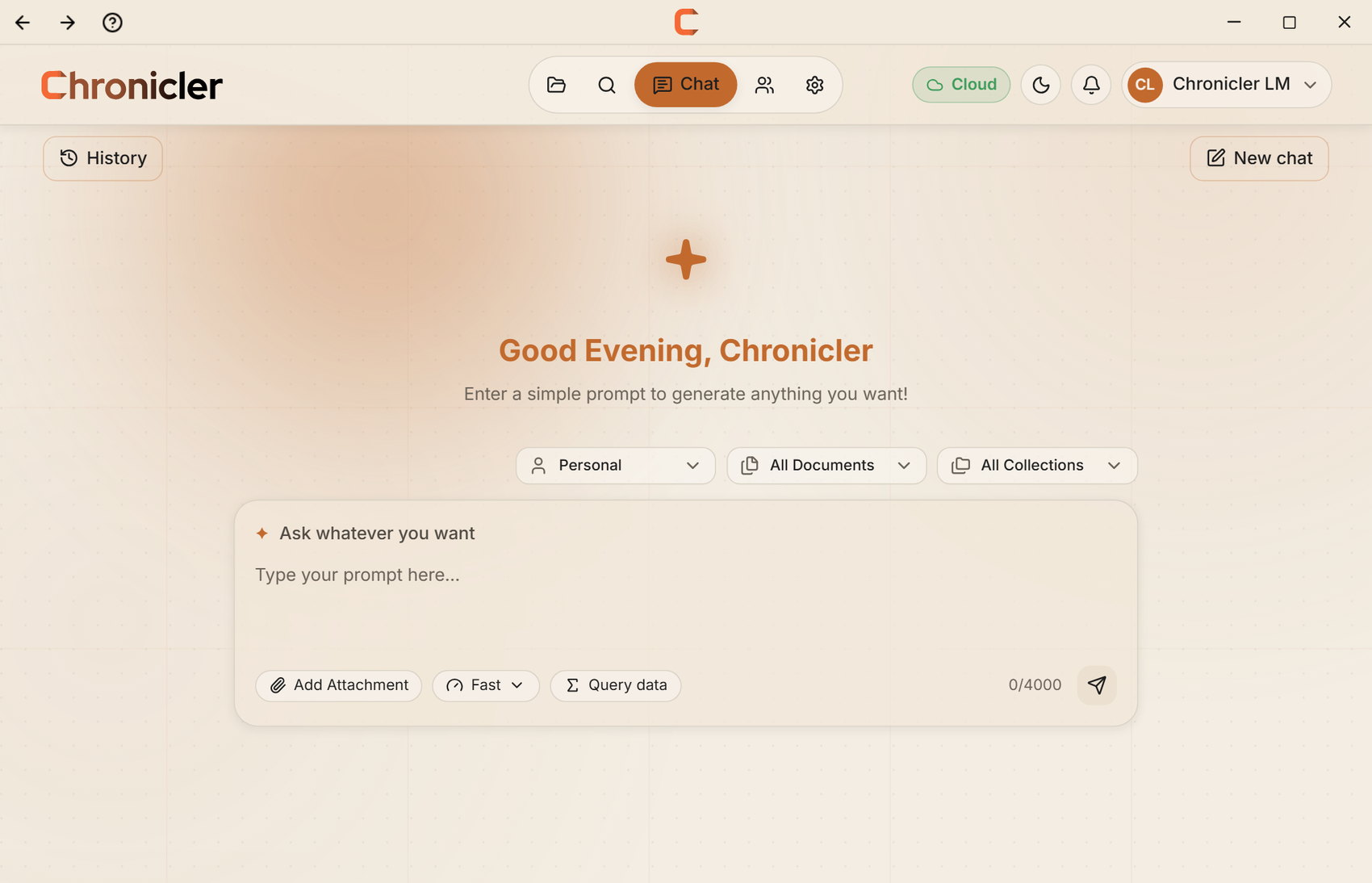
Most tools hand you a confident paragraph and hide where it came from. Chronicler does the opposite: the evidence arrives with the answer.
A confident paragraph with no source is worse than no answer at all. Citations are part of the output, never an afterthought.
Desktop-native by default and self-hostable when it matters. Your library is not training data.
Every model and store in the pipeline can be swapped, so the product outlives any single vendor.
Ask questions in plain language across your entire library instead of opening files one at a time.
PDF, Word, Excel, PowerPoint, and plain text are parsed, chunked, and indexed the moment you import them.
Group related documents and scope a question to exactly the material that matters.
Every response carries its citations, the documents behind it, and a confidence indicator.
Seats, roles, and admin controls for organisations running Chronicler together.
Import one folder and ask one question. The answer will tell you whether the rest of your library belongs here.
Three moments from the desktop app: bringing documents in, asking across them, and checking the passage an answer came from.
Import a directory once. PDFs, Word, Excel, PowerPoint, and scanned pages go through the same pipeline and land in collections you control.

Put a real question to the whole corpus. The answer comes back with document attribution and a confidence indicator attached, not as a floating paragraph.

Every claim carries its citation. Click through to the passage itself and check it before the answer changes a decision.

From a folder of files to an answer you can defend: five steps, no manual searching.
Point Chronicler at the PDFs, Word files, spreadsheets, and decks you already work from.
Text is extracted, OCR'd where needed, chunked, and embedded into a searchable index.
Query your whole library, or narrow the question down to a single collection.
The pipeline pulls candidate passages, reranks them, and keeps only what is actually relevant.
You get the answer, the citations behind it, and a confidence indicator you can act on.
 01
01Hundreds of PDFs, one question at a time. Ask across the whole corpus and get back the passage itself, not a summary you cannot verify.
See how it works ↗Every component in the pipeline (embeddings, vector store, reranker, and language model) can be replaced. Run against OpenAI, or keep the whole thing local with Ollama.
Chronicler is licensed per seat. Bring your own OpenAI key or run it locally: there is no per-query bill to watch.
For a small team running a real pilot
For growing teams
Uncapped seats, audit log, GDPR erasure, and a dedicated contact.
PDF, Word (.docx), Excel (.xlsx), PowerPoint (.pptx), and plain text. Scanned pages go through OCR first, so image-only PDFs stay searchable.
Chronicler is a desktop application, so your library is indexed on the machine or server you run it on. In the default configuration the retrieved passages are sent to your configured language model provider to compose the answer. Point it at a local Ollama model if you would rather nothing leaves the machine.
Every answer arrives with citations, document attribution, and a confidence indicator, so you can open the source passage and check it before you rely on it.
No. Install the desktop app, import a folder, and ask a question. Self-hosting the backend with Docker is optional, and it is documented step by step.
Yes. The stack is FastAPI, PostgreSQL with pgvector, and a Next.js frontend orchestrated with Docker Compose, so it deploys to your own VPS or internal network.

